RX7 in ProStreet style
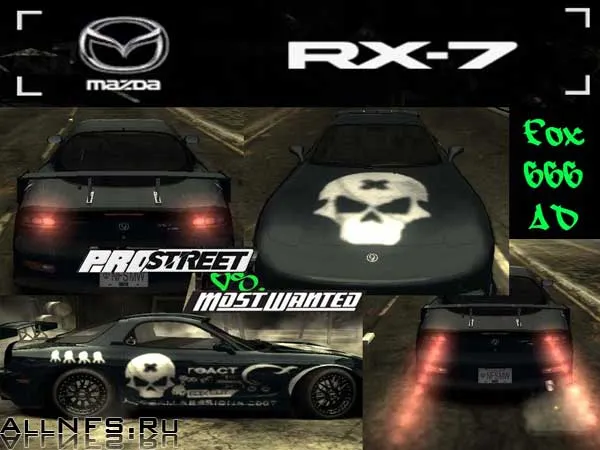
Since I most likely won't be able to play PROStreet (my machine is a bit weak, it won't run it), I decided to add some of its elements to Most Wanted. Here is one of them: the taillights and vinyl from PROStreet for the RX7. The vinyl was traced personally by me from videos and screenshots featuring this car; the lights were also made from a screenshot. My screenshot shows some comparisons of my mod with the car's appearance in PROStreet.
How to install:
Installing the lights: Extract the headlight from the archive. Using MWTex, open the file TEXTURES.BIN at: Need for Speed Most WantedCARSRX7, then select line number 1 and import the file named RX7KIT00BRAKELIGHTON into it, then select line number 3 and import the file named RX7KIT00BRAKELIGHTOFF into it. DON'T FORGET TO MAKE A BACKUP COPY OF THE TEXTURES.BIN FILE!
Vinyl installation: Extract the files from the archive. Using the MWTex program, open the file CARSRX7VINYLS.BIN (Right-click -> Load). Find line number 33, select it, right-click -> Import, select the file RX7NFFINLAND and click "Open". Then select line 148 and right-click -> Import, select the file RX7NFFINLAND_MASK Close the program. Don't forget to make a backup copy of the VINYLS.BIN file!