NFS:HS Realtuner SE
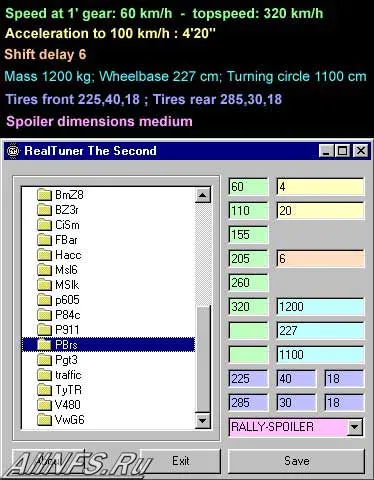
Program for technical tuning of the game's car. Requires the MSVBVM60.DLL file in the windows/system folder.
How to install: Extract the program to the same drive on which the game is installed. Go to the folder of the desired car, extract the car.viv file using NFSWizard or VIVMagic (for nfs6). Using realtuner, edit the necessary characteristics (see screenshot), then save the new version of carp.txt into the car.viv file.