NFS4 styled track vidwalls and loading screens
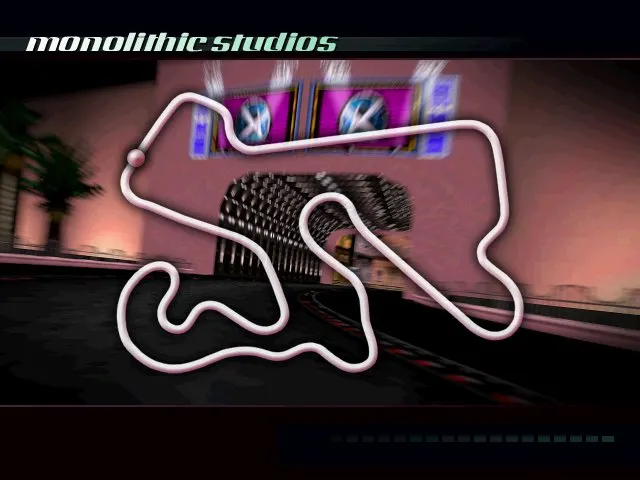

NFS4 styled track vidwalls and loading screens — a set of vidwalls and loading screens in NFS4 style for tracks from NFS2 by NFSF1McLaren. The set includes Mediterraneo, Monolithic Studios, Mystic Peaks, North Country, Outback, Pacific Spirit and Proving Grounds. Last Resort is not included: for it, the author recommends AJ_Lethal's mod.
What's inside:
* vidwall folder — .qfs vidwall files;
* slides folder — .qfs loading screen files;
* original ReadMe.txt.
How to install
1) Unpack the archive and make a backup copy of the original game files.
2) Open the vidwall folder and select the file for the desired track.
3) Rename it to T[XX].qfs, where [XX] is the track ID number you are replacing (or the slot in NFSHS Mixer).
4) Copy the file to the Data\FeArt\Vidwall folder in the game directory.
5) Open the slides folder and select the file for the same track.
6) Rename it to T[XX]_00.qfs with the same number.
7) Copy the file to the Data\FeArt\Slides folder.
8) Repeat the steps for the remaining tracks and launch the game.
Author: NFSF1McLaren
Source: https://nfsaddons.com/downloads/nfshs/tools/11622/nfs4-styled-track-vidwalls-and-loading-screens.html