Mitsubishi Lancer Evolution V
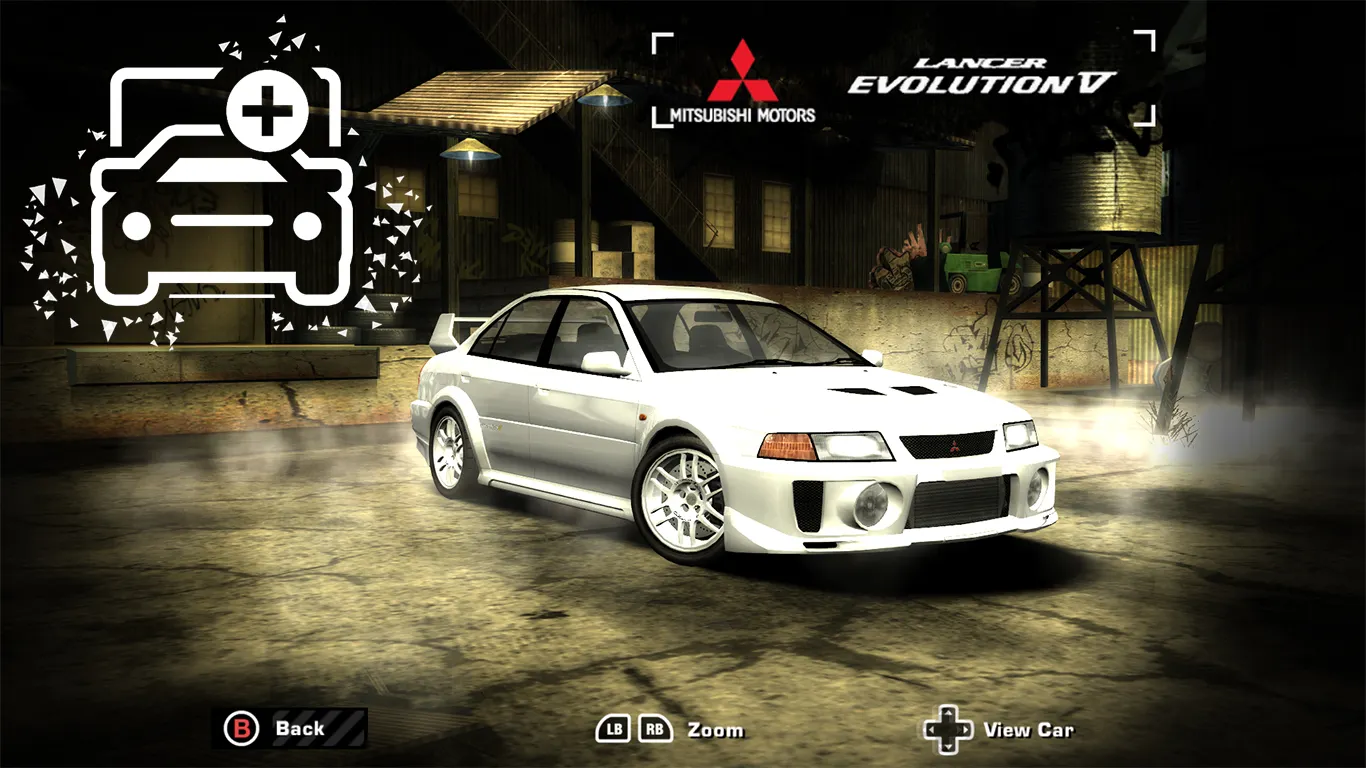
The Mitsubishi Lancer Evolution V car for Need for Speed: Most Wanted (2005), converted from the arcade Initial D Arcade Stage. Replaces one of the game's cars and is unlocked after defeating Izzy.
Author: Valen2006
Source: https://nfsmods.xyz/mod/4560
Tuning
- Body kits: 12 options, some are small variations of each other.
- Spoilers: standard plus 7 additional.
- Rims: all from the game.
- Hoods: 6, including the standard one; each can be made carbon fiber.
- Roof scoops.
- Side mirrors: standard plus 3 additional.
- Add-on slots: roll cage, mud flaps, Works-R decal (to recreate Eiji Kamiya's Evo V from Wangan Midnight), exhaust tips, rally lights, hood pins.
- Vinyls: all standard plus 5 additional — Mine's, two 1998 WRC liveries (Tommi Mäkinen's and Richard Burns'), Winfield and Awesome Osaka. The additional vinyls are in the Custom section and require Unlimiter V4.
Features
- Standard driver from Most Wanted.
- Working textures for turning the taillights on and off.
- The brakes and license plate sections are already active if the corresponding mods are installed.
- Its own performance based on the Lancer Evolution VIII.
Known limitations
- The UV mapping of the vinyls is not perfect, but this is mostly noticeable on the body vinyls.
- There are no decals on the body; decals are applied to the windows.
How to install
0) If not already installed, install Binary 2.8.3, VltEd 4.6 (or OGVI or Attribulator) and NFSMW Unlimiter. This step can be skipped if you already have everything.
1) Run Binary as administrator.
2) Open User mode and select the Install.end file from the extracted archive.
3) Specify the game directory of the copy of Most Wanted you are installing the mod into.
4) Select the vinyl quality set in the game. If you haven't installed anything related to vinyls — vanilla.
5) Save the changes and close Binary.
6) Run VltEd (or OGVI, or Attribulator) as administrator.
7) Click Open and select the game directory. In OGVI you first need to select the Most Wanted profile.
8) Hold Ctrl and press I.
9) Select the .nfsms file from the archive that matches the tool: Install (VltEd).nfsms for VltEd, Install (OGVI).nfsms for OGVI, Install (Attribulator).nfsms for Attribulator.
10) Save the changes and close the tool.
11) Run the game as administrator, create a new save and look for the Lancer Evo V among the cars unlocked after defeating Izzy.