My Custom Presets
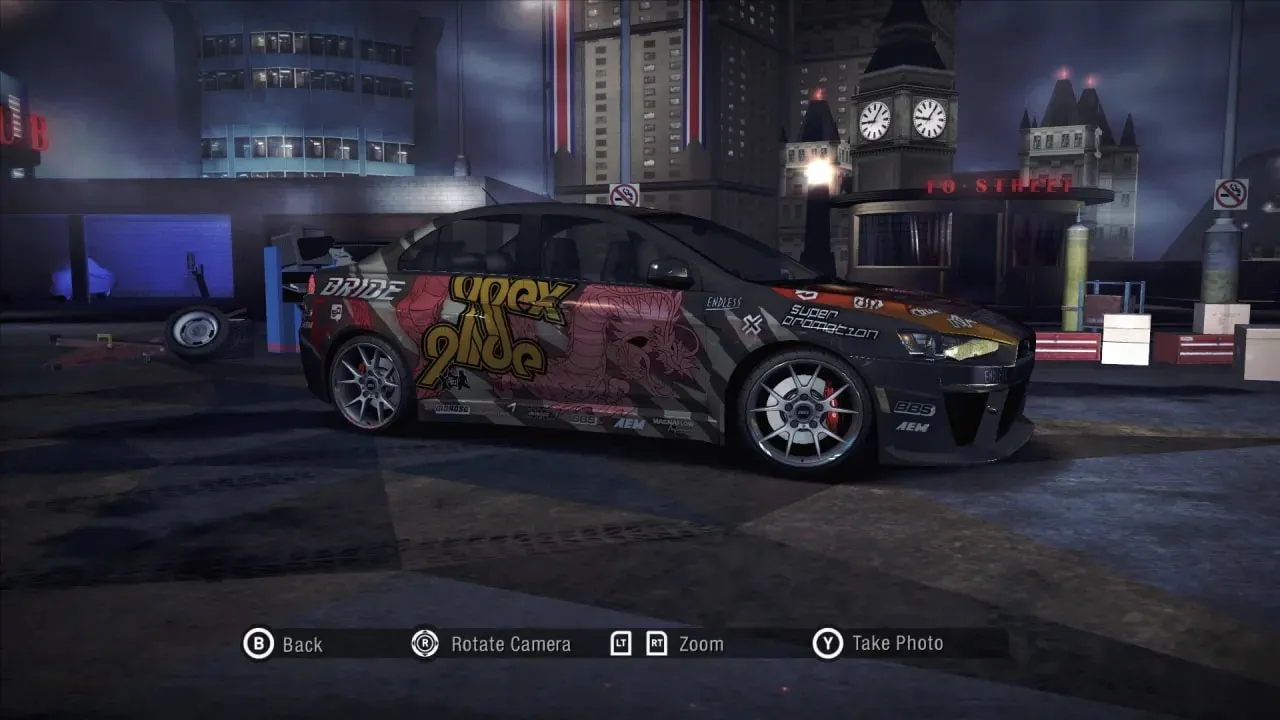
My Custom Presets — a set of ready-made presets for NFS: Carbon by KylaAngelineKZYeng. The package includes presets for the Porsche 911 (997) GT2 from Undercover, the Mitsubishi Lancer Evolution X and the BMW M3 E92 from ProStreet: according to the author's intention, these are complete replicas of Ryo Watanabe's, Ray Krieger's and Rose Largo's cars.
The mod installs neither add-on cars nor vinyls — they must be prepared in advance: Porsche 911 (997) GT2 Addon with Rose Largo's vinyl, Mitsubishi Lancer Evolution X Addon, BMW M3 E92 Addon and ProStreet Vinyls Pack. The author made the presets with the latest version of Improvement Mod V2 in mind, where extra hoods appear, but it is not in the list of mandatory requirements.
Keep in mind Carbon's save limitations: if Improvement Mod V2 is installed, the mod will remove demo cars from the bonus section, as well as the alternate variants of the Koenigsegg CCX, Chevrolet Camaro Concept and Pagani Zonda F. Presets are only picked up in a new game — existing saves have already locked in the bonus car list.
Author: KylaAngelineKZYeng
Source: https://nfsmods.xyz/mod/1402
How to install
- Launch Binary or Binarius. If the game is installed in a protected folder, run it as administrator.
- In the left pane of User Mode, select the Setup.end file and specify the folder with the installed NFS: Carbon.
- Wait for the successful installation message and click Save.
- Install NFS-VltEd or OGVI if they are not installed yet.
- Open NFS-VltEd or OGVI and select File > Open, then specify the game folder.
- Import the QuickRace.nfsms script: File > Import > ModScript in VltEd or File > Import ModScript in OGVI (hotkey Ctrl+I).
- Select the Install option and click Save — the presets will appear in the Custom Cars section.
- Create a new game: existing saves won't pick up changes to bonus and custom entries.
- To uninstall, run the same script and select Uninstall; the second uninstall option additionally restores the presets that the mod removed.