HUD Toggler 1.0.5
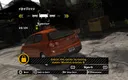
HUD Toggler 1.0.5 — a compact ASI script by Hydra that, on a key press, removes the in-game interface from the screen and brings it back just as quickly. The mod was originally written for NFS: Most Wanted (2005), and later the author added support for NFS: Carbon and NFS: Underground 2.
What it can do
- Hiding the interface: F9 hides and shows the HUD — handy for screenshots and videos.
- Custom hotkey: the combination is set in an .ini file next to the script.
- Three games: one build covers Most Wanted, Carbon and Underground 2.
What you should know
- An ASI loader is required for it to work: if other .asi mods already run for you, it is installed.
- The script checks the speed.exe build. In version 1.0.5 the author relaxed this check, but on heavily modified executables functionality may still need to be verified.
- In Underground 2 the HUD exists in several layers, so there the combination B + F9 is used instead of just F9.
How to install
- Make sure the ASI loader is present in the game folder next to speed.exe (for example, dinput8.dll from Ultimate ASI Loader). If .asi mods already work — skip this step.
- Unpack the mod archive.
- Copy the .asi file to the game folder where speed.exe is located.
- If the archive contains an .ini file, place it next to the .asi and change the hotkey if necessary.
- Launch the game and press F9 (in Underground 2 — B + F9) to hide or bring back the interface.
Author: Hydra.
Source: https://nfsmods.xyz/mod/7884