NFS VltEd
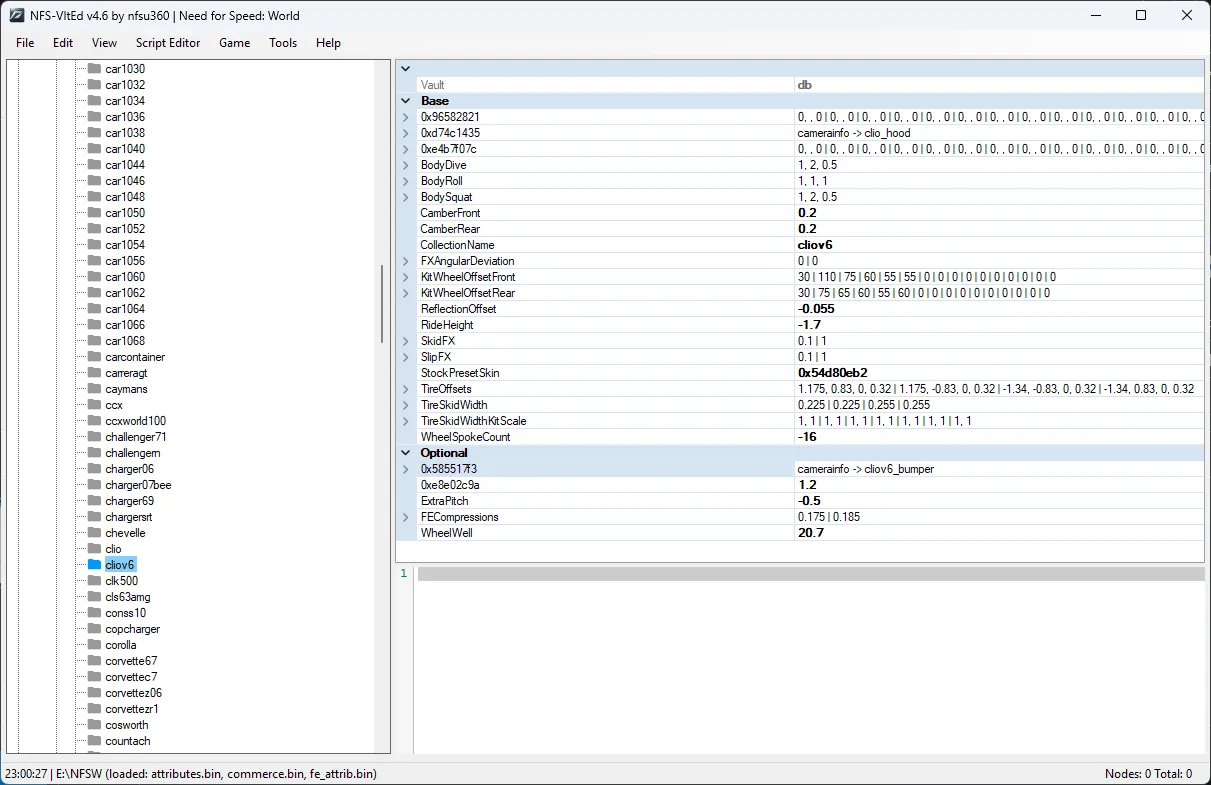
NFS-VltEd (Need for Speed Vault Editor) is a powerful program for deep editing of VLT databases (attributes.bin, fe_attrib.bin, gameplay.bin, etc.) in games of the Need for Speed series. This tool is the standard and is required for installing most modern mods, especially new cars and global script patches.
Key features:
- Script support (ModScript): automatic and fast installation of mods in .nfsms format in a few clicks.
- Node Explorer: view and modify internal game parameters (car physics, prices, tuning characteristics, opponent AI, colors, etc.).
- Database expansion: adding new parameters and elements without replacing original files (especially relevant when using mods from the Unlimiter series).
- Text editing: ability to change any in-game text strings and car names.
- Automatic assembly: the program correctly rebuilds and compresses VLT archives when saving changes.
How to install (use):
Requirements: Microsoft .NET Framework 4.5 or higher must be installed.
- Extract the archive with the program to any convenient folder.
- Run the file "NFS-VltEd.exe" (recommended as administrator).
- Connect the game: in the top menu select "File" -> "Open" (or Ctrl+O) and specify the path to the root folder of the installed game.
- To install a downloaded mod (script):
- Select "File" -> "Import" -> "ModScript" (or press Ctrl+I).
- Specify the file with the .nfsms extension that came with your mod.
- In the window that appears, click the "Install" button.
- Be sure to save changes: click "File" -> "Save" (or Ctrl+S).
- Done, you can close the program and launch the game.
Warning: The program and its scripts are incompatible with the old Mod Loader (d3d9.dll). Using both systems at the same time will cause the game to crash.