NFSU: Fast and Furious
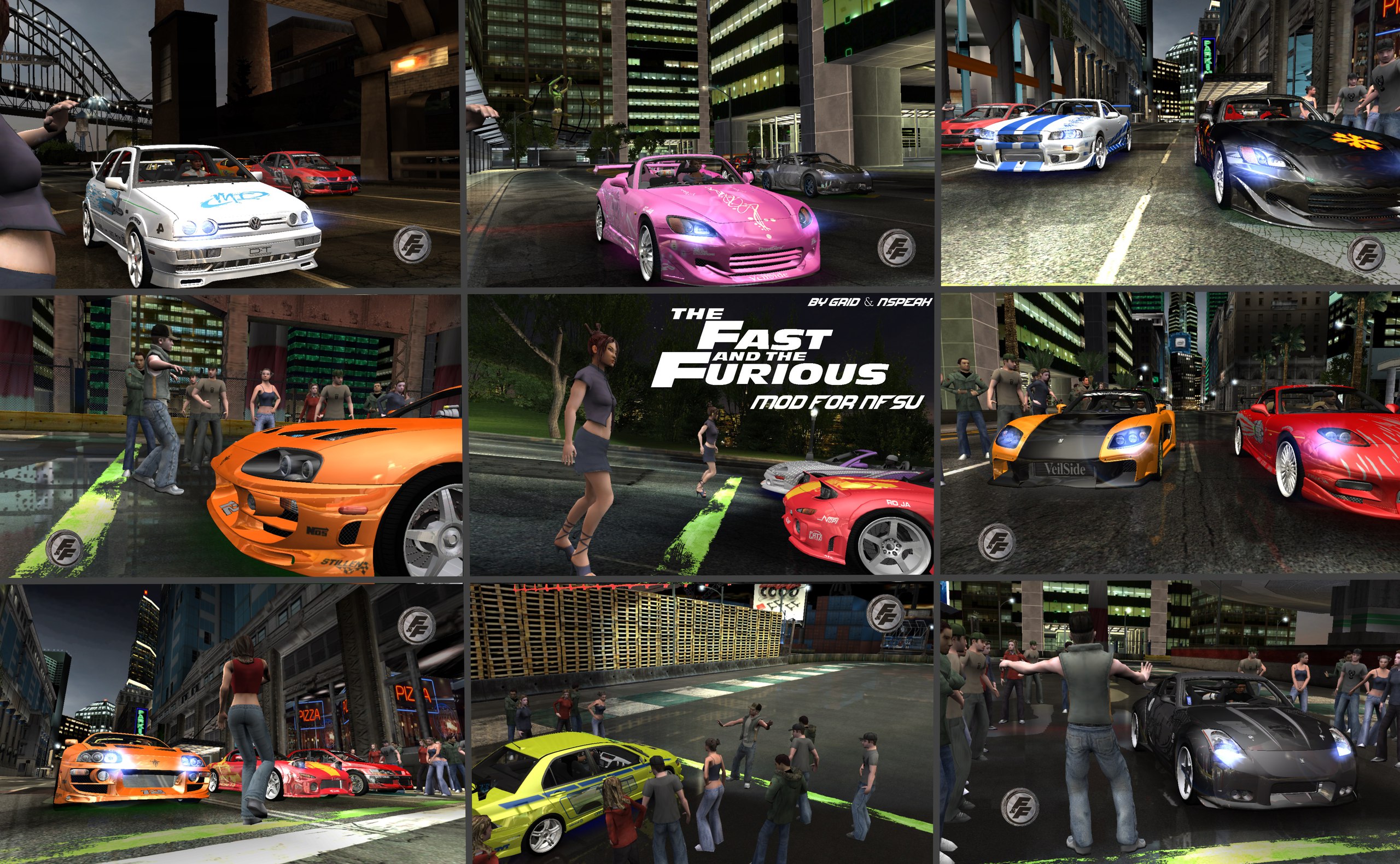
Global modification for NFSU!
- HD modification for Need for Speed Underground in the style of the Fast and Furious movies, in which 612 textures have been replaced!
- 20 accurate cars, like in the movie! + traffic cars replaced with new ones!
- Text mod!
- Music mod!
Note:
Car tuning has been removed! Only available:
- Performance tuning
- Neon
- Rims
- Roof (Mitsubishi Eclipse Spyder)
How to install:
First, before launching the game, in the mod archive in the scripts folder, open the file NFSUnderground.WidescreenFix and in the lines
ResX = monitor height in pixels
ResY = monitor width in pixels
set your resolution! Otherwise a crash is guaranteed!
The archive contains two programs for launching the mod: Texmod and Umod.
Launching via Texmod:
1) Run Texmod.exe.
2) Specify the path to the speed.exe file by clicking the folder icon.
3) Then in "Package Mode" specify the path to the file "F&F mod for NFSU 1.1" and select it.
4) Click "Run".
5) Texture loading will take no more than 2 minutes.
Launching via Umod:
1) Run uMod.
2) In the menu bar, click Main, then Start game through uMod.
3) Double-click Select game to start and specify the path to speed.exe in the game folder.
4) Wait for the game's start screen to appear, then minimize it (Alt+Tab).
5) In the uMod window, click "Open texture/package" and specify the path to the file "F&F mod for NFSU 1.1" and select it.
6) Click Update (reload) and wait 10–15 seconds.
7) Click Main — Save Template to save the mod loading template.
8) Click Main — Set template as default.
9) Restore the game window and play.