Binarius
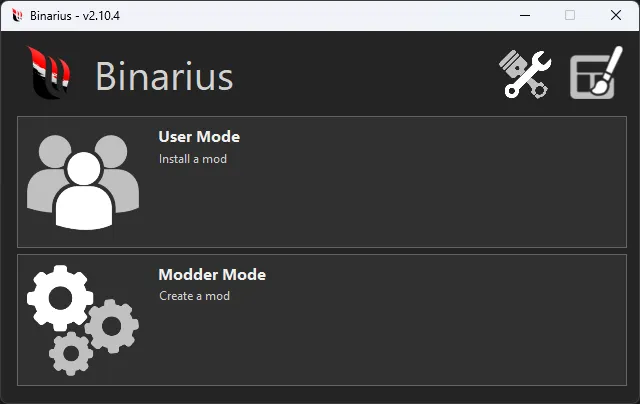
Binarius is a fork (improved version) of the Binary program, designed for editing binary files (.BIN, .BUN, .LZC) in games in the Need for Speed series. The program includes many fixes and new features for modders.
The program allows you to edit:
- Global files (GlobalA/B)
- Interface files and in-game resources (FrontA/B, InGameA/B)
- Textures (Textures.bin) and mini-maps (MiniMapX.bin)
- Vinyls (Vinyls.bin) and textures in NIS scenes
The program has two modes:
- User — designed for quick installation of mods via scripts (.end, .endscript, .endlauncher).
- Modder — advanced interface for detailed editing of game resources.
Important: Binarius is NOT intended for working with Vlt files (attributes), sounds, geometry (models), or video. Do not delete .dll libraries from the program folder!
System requirements:
- Make sure you have .NET Core Desktop Runtime 3.1 (x64) or higher installed.
- If LZCompressLib errors occur at startup, install all Visual C++ Redistributable (x64) packages for 2015 and later.
- For Windows 7 users, it is recommended to install update KB4474419.
Installation instructions for mods (.end scripts):
- Extract the program files to any convenient location.
- Run "Binarius.exe" as administrator.
- Select the icon with three users (User Mode - Install a mod).
- Select the main mod installation file (.end, .endscript, or .endlauncher).
- Specify the path to the folder with the installed game.
- After installation completes, confirm saving changes (Save).
- Now you can launch the game.