No More Map Loading 1.1
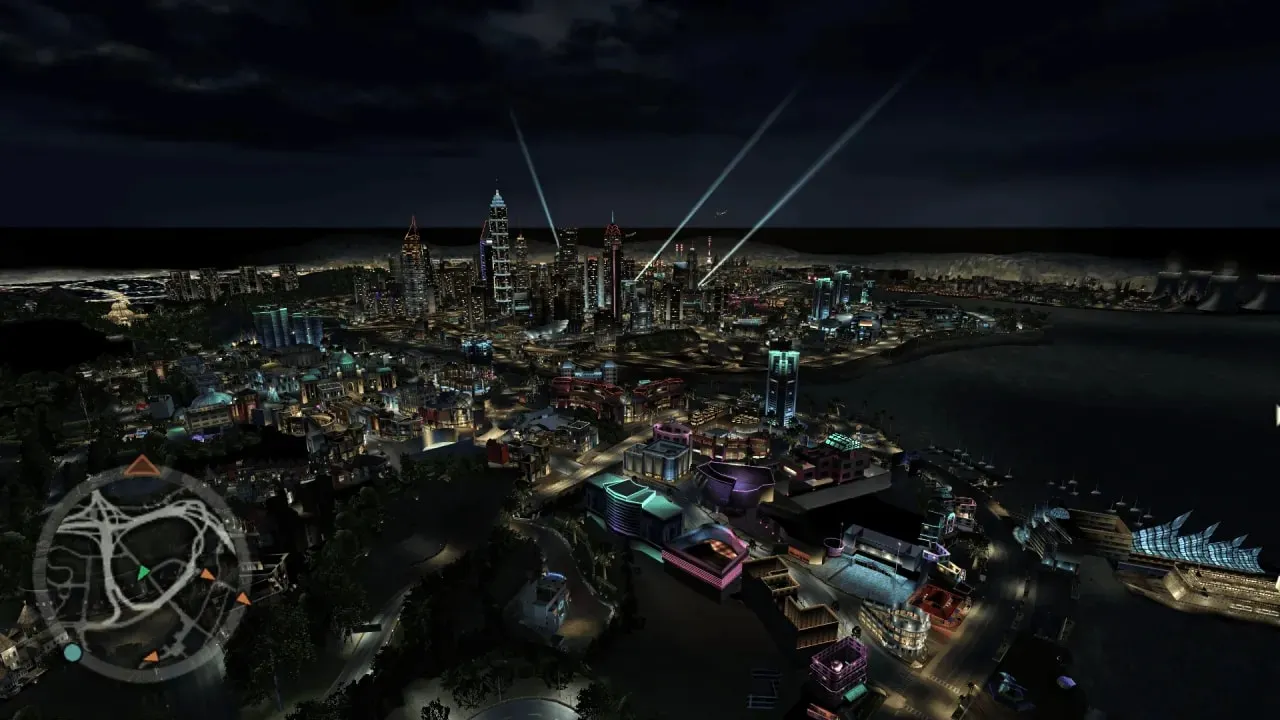
No More Map Loading by 1TEO removes piecemeal city loading in NFS: Underground 2: Bayview begins to render in full, and distant neighborhoods no longer pop out of nowhere when you drive toward them.
Author: 1TEO
Source: https://nfsmods.xyz/mod/8038
Source code: https://github.com/oneteoone/NFSU2DrawAll
What this gives you
- A seamless city. The usual “seams” on the horizon disappear: bridges, interchanges and skyscrapers are visible in advance rather than appearing a couple hundred meters away.
- Tuning for your hardware. The main parameter is MinObjectPixels in the NFSU2DrawAll.ini file. Values 2–7 keep more small objects on screen but put more load on the system; 8–17 is the recommended range, where visuals and performance are roughly balanced.
- Useful for photography. With the debug camera from NFSU2 Extra Options, the mod lets you inspect the whole map, not just what has managed to load around the car.
In version 1.1, a bug with textures in career races has been fixed, so that is the version included in the archive.
Installation
- Check the game version: the size of speed2.exe should be 4,800,512 bytes — this is v1.2, which the mod is designed for.
- From the archive, take the dinput8.dll file and the scripts folder.
- Copy them to the game folder, where speed2.exe is located. If dinput8.dll is already there from another ASI mod, you do not have to replace it.
- If necessary, open NFSU2DrawAll.ini and adjust MinObjectPixels — guidelines are in the section above.
- Launch the game and evaluate the result in free roam.
Bonus: Debug Camera
If NFSU2 Extra Options is installed, enable EnableDebugCamera = 1 in it. Controls: NUMPAD 8, 2, 4, 6 — camera tilt, NUMPAD 1 and 3 — forward and backward, NUMPAD 9 and 7 — up and down, square brackets — move sideways, 5 — place the player's car at the camera position.