Xbox HUD Restored 1.1
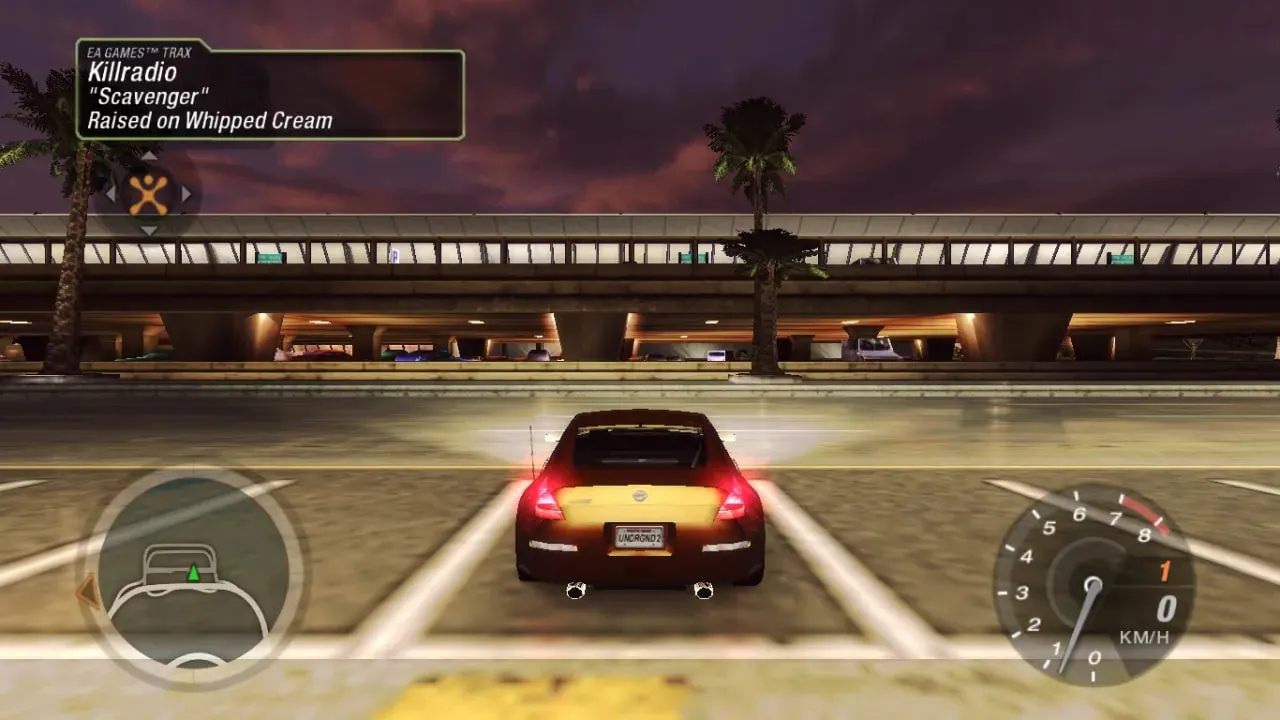
Xbox HUD Restored — a HUD mod for NFS: Underground 2 by Youmu that brings the HUD from the classic Xbox console version back to PC. It is based on ThirteenAG's Widescreen Fix: the author recalculated the HUD elements for widescreen resolutions, so on a 16:9 monitor the image looks like the console release rather than a stretched interface.
By default, the configuration specifies a resolution of 1366x768 — change it for your monitor in the NFSUnderground2.WidescreenFix.asi file. In version 1.1, the three Widescreen Fix files are placed in the Scripts folder, with a backup copy of the original fix included alongside: if you do not like the new HUD, you can restore the previous look without reinstalling the game.
Author: Youmu (base Widescreen Fix — ThirteenAG)
Source: https://nfsmods.xyz/mod/8051
The author did not specify any prohibition on distribution.
How to install
- Close the game if it is running.
- Unpack the mod archive.
- Copy the Scripts folder from the archive to the root folder of NFS: Underground 2 — the one containing speed2.exe. Confirm file replacement.
- Open the NFSUnderground2.WidescreenFix.asi file from the Scripts folder in Notepad and find the lines with the screen resolution. By default it is set to 1366x768 — set your monitor's resolution (for example, ResX = 1920 and ResY = 1080).
- Save the file and launch the game: the HUD will be rendered in the Xbox version style.
- To restore the standard interface, delete the Scripts folder and copy the backup of the original Widescreen Fix from the archive into its place.