How to install mods in NFS: Most Wanted (2005) and add new cars
The series long ago passed its twentieth anniversary, and Need for Speed: Most Wanted (2005) is still growing with new cars, tuning and features. Almost everyone installs car replacements, but beginners stumble with add-on models: different tools and a different order of operations apply here. Below is what to do in what order, what to back up in advance, and where mistakes most often happen.
What types of mods there are
Before downloading anything, it helps to understand the type of modification — both the tool and compatibility depend on it.
* Replacements (replacement): a new car or individual file replaces the original. Such mods usually only require the classic ModLoader or NFS-VltEd.
* Add-on cars (add-on): a car is integrated on top of the standard set without taking a slot from a vanilla car. This requires Binary and NFSMW Unlimiter.
* Script edits: characteristics, menus, interface, physics. They are installed either with a .nfsms script via NFS-VltEd, or with an .end script via Binary.
You cannot mix types thoughtlessly: replacements and add-ons often conflict with each other.
What to back up before installation
The idea is simple: any serious mod edits game files, so a backup is not paranoia but insurance. Copy the following into a separate folder:
* Frontend: FrontA.bun, FrontB.lzc;
* Global: Attributes.bin, FE_Attrib.bin, Gameplay.bin, Gameplay.lzc, GlobalB.bun, GlobalB.lzc;
* Languages: the entire folder of the same name.
If something goes wrong, these copies will return the game to a working state without reinstalling.
NFS-VltEd — VLT database editor
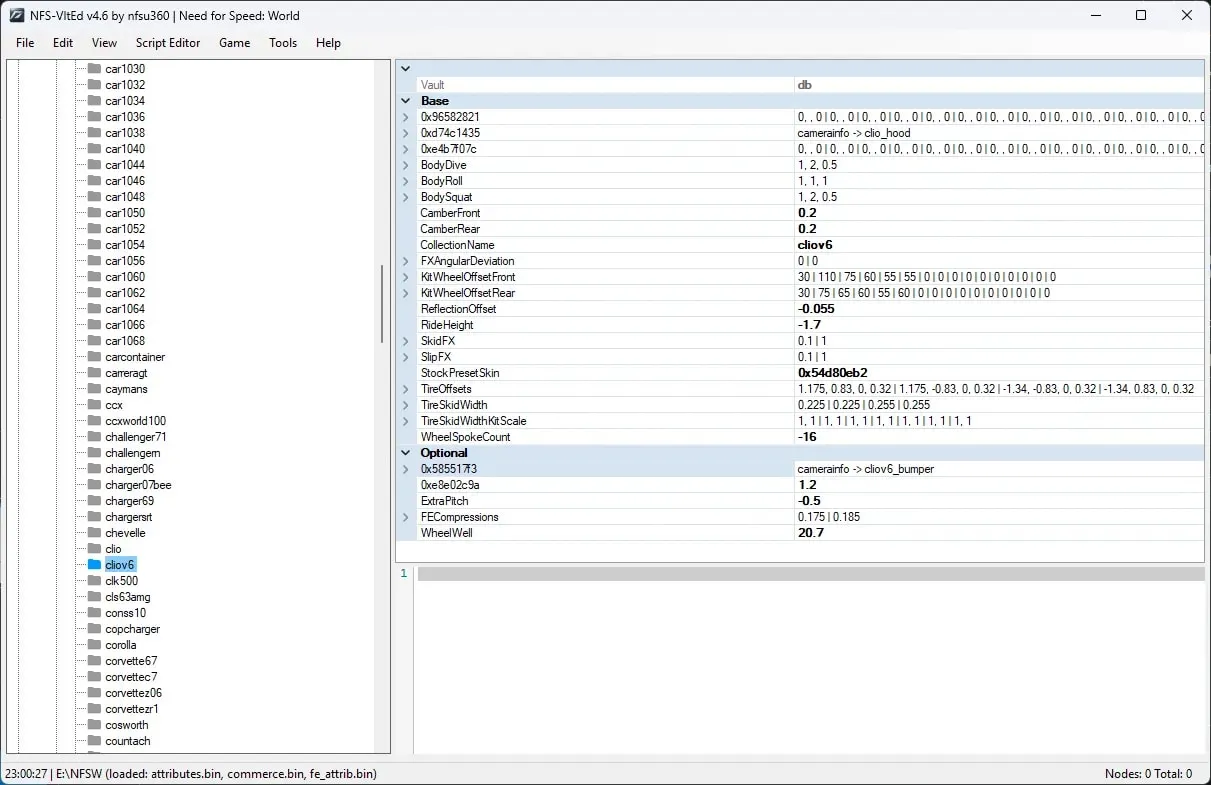
NFS-VltEd (Need for Speed Vault Editor) by nfsu360 is the standard for working with the internal file databases attributes.bin, fe_attrib.bin, gameplay.bin and others. It is through it that .nfsms scripts (ModScript) are installed, which most modern mods use. Requires .NET Framework 4.5+ (the current version — 4.6). You can download it here.
The basic algorithm is this: File → Open points to the game's root folder, then File → Import → ModScript, select the .nfsms file, click Install and be sure to do File → Save. Without saving, all edits remain on paper.
Important: NFS-VltEd is incompatible with the old ModLoader on d3d9.dll — when used together, the game crashes.
Classic ModLoader
The oldest and most familiar method. Mods are placed in the ADDONS folder, replicating the game structure (CARS_REPLACE and others), and installation often goes through ModInstaller.exe. Many early mods were distributed exactly this way: one example is the camera mod.
Keep in mind that ModLoader is outdated and does not work with modern add-on cars — more on that below.
Binary — the current standard for add-ons
Binary by MaxHwoy (current version 2.8.3, download) is an editor for the game's binary files: .BIN, .BUN, .LZC. It is used to edit global (GlobalA/GlobalB), frontend (FrontA/FrontB), in-game (InGameA/InGameB) files, as well as Textures.bin, Mini_Map_X.bin and Vinyls.bin.
The program has two modes:
* User — the simple path for an ordinary player: select a ready-made .end script and the game folder;
* Modder — an advanced editor for those who create mods themselves.
Key limitation: Binary does not work with VLT attributes, sounds, model geometry or video. All of this still remains with NFS-VltEd — the tools complement, not replace, each other.
Before launching, install .NET Core Desktop Runtime 3.1 (x86) or newer. It must specifically be the x86 architecture, even on 64-bit Windows. If LZCompressLib errors appear, also install VC Redist (x86) 2015+.
Installing an .end script is done as follows:
1. run Binary.exe as administrator;
2. click the red User Mode icon on the left;
3. select the mod's installation file .end;
4. specify the game's root folder;
5. wait for the script to finish and confirm Save;
6. after that, you can launch the game.
NFSMW Unlimiter — the required base for add-ons
NFSMW Unlimiter by nlgxzef (version 4.0.1, download) is a script mod that removes the engine's internal limits. It dynamically recalculates the car limit, transfers the manufacturer system from NFS Carbon, and generally makes adding new cars realistic. It also includes QoL fixes: disappearing wheels, cars flickering in rain, expanded memory pools, correct scrolling of the paint and custom gauges menus, expanded tuning.
It is a required component for any add-on car. Requirements: game version 1.3, and it is advisable to apply the 4GB Patch to the .exe. Installation comes in two parts — Part 1 via Binary (.end), Part 2 via NFS-VltEd (.nfsms). It is incompatible with the old ModLoader on d3d9.dll: it must be removed before installation.
Add-on cars: step-by-step installation
The order here is strict, and it is best not to change it. Before starting, be sure to back up the files from the section above.
1. Install the latest NFSMW Unlimiter (both parts, as described above).
2. Car data — via Binary: run the program as administrator, click User Mode, select a file like _<CAR>-Part1-Binary.end, specify the game folder and click Install. Then select the vinyl resolution — 512x or 1024x (check which textures the other cars use). Wait for it to finish, answer Yes to the save prompt, No to the prompt to launch the game, and close Binary.
3. VLT data — via NFS-VltEd: open File → Open and specify the game folder, then File → Import → ModScript and select a file like _<CAR>-Part2-VltEd.nfsms. Click Install and save via File → Save.
4. Launch the game and start a new career. Using Save patcher is not recommended.
Warnings you cannot do without:
* Add-ons are incompatible with replacement cars installed via ModLoader — they will have to be removed.
* You cannot mix add-on cars installed via Binary and via the old Ed method: this breaks the game.
* If the FrontA.bun file has a size greater than zero, it must be deleted — otherwise car logos display incorrectly.
* If NFS-VltEd complains about a manufacturer or engine sound, you can safely ignore it — it means you already have a car from the same manufacturer.
Ed — The Car Dealer: why the method is outdated
Ed — The Car Dealer by nlgzrgn is a historical, legacy way of adding cars. Back in 2022, the mod's author, using an add-on car as an example, marked it as deprecated in favor of Binary, and this became the transition point to the new standard. Today Ed is of interest more as part of Most Wanted modding history: new cars are no longer designed for it, and trying to combine Ed add-ons with Binary add-ons leads to a broken game. Simply put — if you are installing a new add-on car, use Binary.
Russian license from “SoftKlab”
Owners of the localized license from “SoftKlab” need a separate patch — without it, the modloader and mods work incorrectly. Before installing it, copy the GLOBAL and FRONTEND folders (the patch archive also contains a Backup folder with the original files), then copy the folders from the patch into the game directory and confirm the replacement.
Typical problems
- The game crashes after installing an add-on. Most likely, an old ModLoader on
d3d9.dllremains in the system — it must be removed. It also breaks compatibility with add-on cars. - The car does not appear. Check the order: first NFSMW Unlimiter, then the car data via Binary, and only then the VLT part via NFS-VltEd. And be sure to start a new career.
- Car logos are “off.” Delete
FrontA.bunif its size is greater than zero. - VltEd produces errors about a manufacturer or engine sound. If you already have a car from this manufacturer, the errors can be ignored.
- You mixed add-ons from different eras. Ed cars and Binary cars will not coexist in one build.
Briefly about the order of actions
- Back up the files from the list above.
- Make sure the game is version 1.3 and apply the 4GB Patch.
- Remove the old ModLoader and replacement cars, if any.
- Install NFSMW Unlimiter (Binary + VltEd).
- Install the add-on car data via Binary.
- Add the VLT part via NFS-VltEd.
- Launch the game and create a new save.
Have you installed cars in Most Wanted? Tell us in the comments which mods stuck with you and what errors you had to deal with. Follow the updates on nfs.place!
👉 Source: add-on car page on NFSMods and nfsu360 (NFS-VltEd)