Fixed Hood Camera 1.0.0
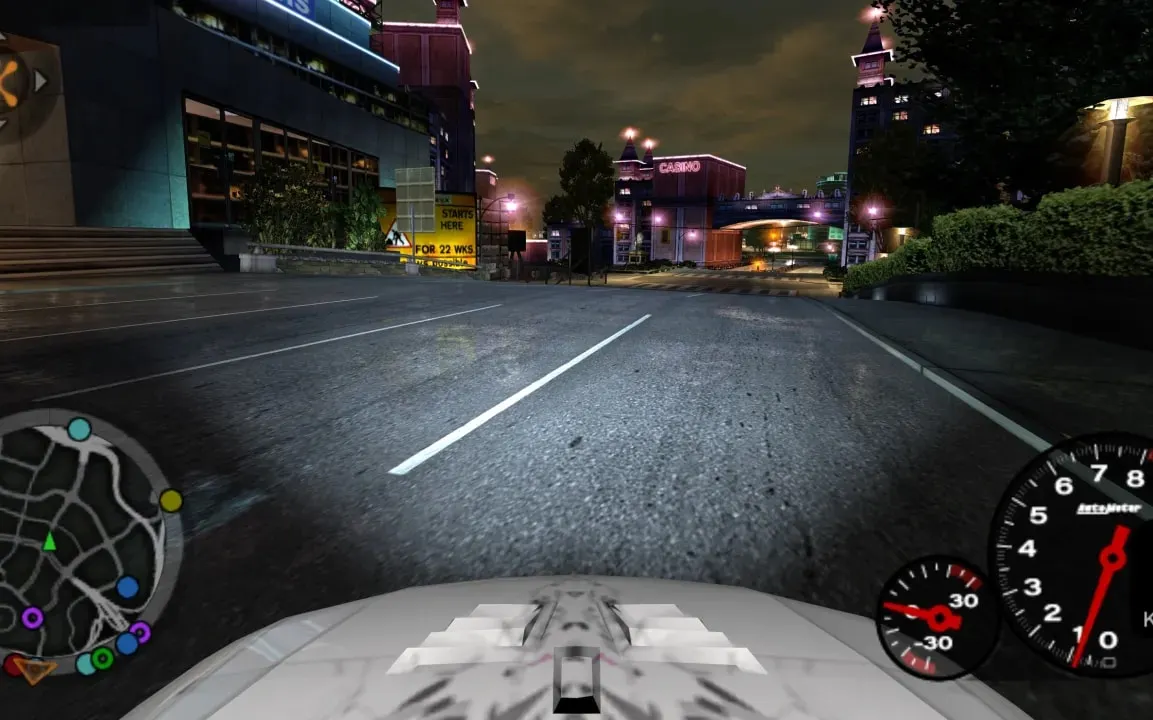
Fixed Hood Camera — an ASI plugin by luc9nt for NFS: Underground 2 that rigidly attaches the hood camera to the car. In the vanilla game it slightly "floats" and lags when turning — the plugin removes this inertia and recalculates the camera position from the car's transform every frame.
What it does
- Rigid attachment: the hood camera no longer shifts relative to the body.
- Horizon lock: the HorizonLock=1 parameter keeps the horizon line level when the car rolls, HorizonLock=0 keeps the camera rigidly bound to the body (default).
- Audio centering: the player's engine sound is shifted to the center of the stereo panorama; the panorama of AI cars is unchanged.
- View restriction: with OnlyHood=1 the effect works only in hood view.
Settings
The NFSU2FixedHoodCam.ini file is read once at startup; after edits the game must be restarted. In the [General] block — Enabled, OnlyHood and DebugLog, in [Camera] — RemoveMovement and HorizonLock, in [Audio] — CenterPlayer.
Compatibility
The plugin is designed for the US version of the game v1.2 (SPEED2.EXE). Other versions and regions are not supported.
How to install
- Install ASI Loader into the game if you don't have it yet: without the loader .asi plugins don't work.
- Unpack the archive.
- Copy NFSU2FixedHoodCam.asi to the scripts folder in the game directory.
- Place NFSU2FixedHoodCam.ini from the archive next to it and, if desired, adjust the values (HorizonLock, OnlyHood, CenterPlayer).
- Launch the game as usual and switch to hood view.
Author: luc9nt
Source: https://nfsmods.xyz/mod/8158
Author's site: https://github.com/tnecul/NFSU2FixedHoodCam